
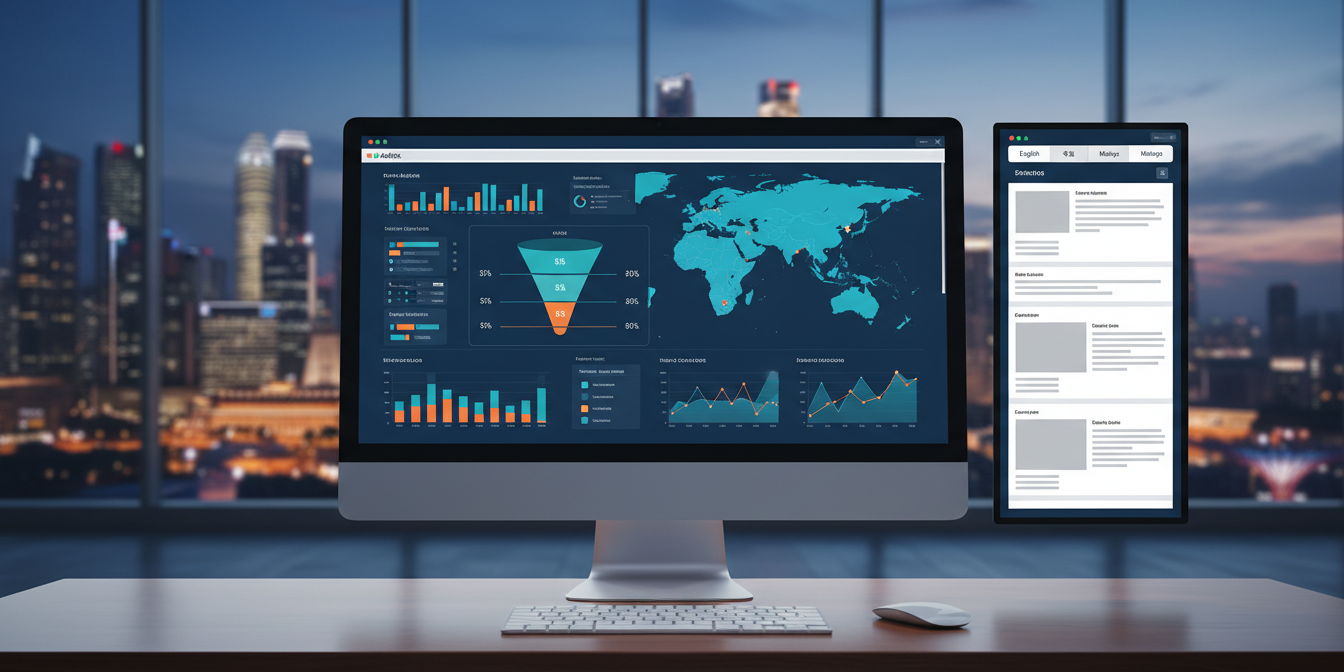
You invested in translating and localising your website for new markets. Pages are live, content is culturally adapted, and multilingual visitors are arriving. But here is the question most businesses forget to answer: is it actually working? Measuring localised page ROI with GA4 is the only reliable way to know whether your language investment is generating real business value, or simply adding pages to your sitemap.
Google Analytics 4 (GA4) offers a powerful, event-driven measurement model that makes it far more capable than its predecessor for tracking multilingual websites. When configured correctly, it can tell you exactly which language versions of your pages are driving engagement, leads, and revenue, and which ones need improvement. This guide walks you through the complete process, from initial setup to building actionable reports, so you can confidently evaluate the return on every localised page you publish.
Why Measuring Localised Page ROI Actually Matters
Many companies treat website localisation as a one-time project: translate the content, go live, and move on. But without tracking performance, you have no way of knowing whether your Mandarin product pages convert better than your English ones, or whether your Bahasa Indonesia landing page has a bounce rate that signals a translation quality issue. ROI measurement transforms localisation from a cost centre into a measurable growth strategy.
For businesses operating across Southeast Asia and beyond, this visibility is especially critical. A company serving audiences in Singapore, Malaysia, Japan, and South Korea is managing four distinct user journeys simultaneously. GA4 allows you to segment those journeys precisely, comparing how each localised version performs against your business goals. Without this data, budget decisions about which languages to prioritise or expand become guesswork. With it, you can make confident, evidence-based investments in your multilingual content.
Beyond justifying spend, ROI data from localised pages also highlights content quality issues early. A high exit rate on a specific language page can point to poor cultural adaptation rather than a traffic problem, which is exactly the kind of insight that makes the difference between a site that converts and one that simply exists in multiple languages. If you are working with professional localisation services, this data also helps you brief future projects with precision, targeting improvements where they matter most.
Setting Up GA4 to Track Localised Pages
Before you can measure anything, your GA4 property needs to be structured to distinguish between language variants. There are two common approaches depending on how your multilingual site is built. If you use subdirectories (such as /zh/, /ms/, or /ja/), GA4 can capture the language segment directly from the page path. If you use subdomains or separate domains for each language, you will need cross-domain tracking configured to unify the data in a single GA4 property.
The most practical first step is to ensure your page_view event is firing correctly on all localised pages. Open the GA4 DebugView while browsing each language variant to confirm data is being collected. From there, create a custom dimension called something like page_language by extracting the language code from the URL path using a Google Tag Manager variable. This custom dimension becomes the backbone of every localised report you build going forward.
It is also worth setting up content groupings in GA4 to categorise pages by language and content type simultaneously. For example, grouping all Chinese-language product pages together allows you to compare their collective performance against English product pages without manually filtering every report. This setup takes an hour or two upfront but saves significant time every time you need to review localisation performance. If your website was built and translated with the support of a professional website translation service, request the URL structure documentation to ensure your tagging strategy aligns with how the pages are organised.
Key Metrics to Track for Localised Page Performance
Not all metrics carry equal weight when evaluating localised pages. The following are the core indicators that give you a meaningful picture of how each language variant is performing:
- Engagement Rate: GA4 replaced bounce rate with engagement rate, which measures the percentage of sessions that lasted longer than 10 seconds, had a conversion event, or included two or more page views. A low engagement rate on a localised page suggests the content is not resonating with that audience.
- Average Engagement Time: This shows how long users are actively engaging with a page, not just how long the tab was open. Comparing this across language variants reveals which translations hold attention most effectively.
- Conversion Rate by Language: This is your primary ROI indicator. Segment conversions by the page_language custom dimension to see which language versions are most effectively driving your desired actions.
- Revenue Attribution (for eCommerce): If you sell products or services online, GA4’s eCommerce tracking allows you to attribute revenue directly to the language version of the page where a purchase journey began.
- User Retention by Language: GA4’s cohort analysis can show whether users who first landed on localised pages return at a higher or lower rate than those who entered via your primary language site.
Tracking these metrics in combination gives you a well-rounded view of performance. A page can have strong traffic but poor conversions, which often points to a mismatch between the language of acquisition (perhaps a paid ad) and the quality of the localised destination page itself. Always look at metrics as a group rather than in isolation.
Building Custom Reports in GA4 for Localisation ROI
GA4’s Explore section is where you build the reports that matter most for localisation analysis. Start by navigating to Explore > Blank and creating a free-form report. Add your page_language custom dimension as a row dimension, then bring in metrics like sessions, engagement rate, conversions, and revenue. This gives you an instant side-by-side comparison of every language variant’s contribution to your business goals.
For a more nuanced view, use a funnel exploration report to map the conversion journey for each language. Define the funnel steps (for example: localised landing page viewed, product page viewed, checkout started, purchase completed) and segment the funnel by language. This reveals exactly where users are dropping off in each language variant, giving your team or your translation partner clear direction on where to focus quality improvements.
Another highly useful report is the path exploration, which shows the sequence of pages users visit after landing on a localised entry point. If users on your Japanese pages consistently navigate to your English contact form rather than the Japanese equivalent, that is a sign that a key conversion asset has not been fully localised. These insights go beyond traffic numbers to reveal the actual user experience gaps that affect your ROI. Pairing GA4 data with the output from your professional proofreading services review cycles ensures that quality issues flagged in the data are addressed at the source.
Configuring Conversion Events for Each Language Variant
GA4 uses events as the foundation of all measurement, and marking the right events as conversions is essential for accurate ROI calculation. For localised pages, you should configure conversion events that reflect meaningful actions in each market. These might include form submissions, phone number clicks, file downloads, quote requests, or purchases, depending on your business model.
To connect conversions back to specific language variants, ensure that your page_language custom dimension is sent alongside every conversion event. This is done in Google Tag Manager by attaching the language variable as an event parameter on all conversion tags. Once this is in place, GA4 will allow you to filter conversions by language in any standard or custom report, giving you a direct line of sight to language-level ROI.
For businesses with longer sales cycles, consider tracking micro-conversions as well, such as time spent on a localised resource page, video plays, or document downloads. These softer signals indicate intent and engagement even when a direct sale or lead is not the immediate outcome. Over time, tracking the path from micro-conversion to macro-conversion by language allows you to build a more complete picture of how your localised content contributes to the pipeline. This is particularly valuable for organisations offering multilingual language translation services or content that supports complex B2B purchasing decisions.
Interpreting Your Data: Turning Numbers into Decisions
Collecting data is only half the work. The real value comes from interpreting what the numbers are telling you and translating that into action. When a localised page shows high traffic but low conversions, the first question to ask is whether the traffic source is well-aligned with the page’s intent. Organic visitors searching in their native language typically convert better than redirected visitors who did not choose to visit the localised version. Segment your traffic by source and language together to identify this pattern.
When engagement time on a specific language page is significantly lower than on the equivalent English page, the content quality is often the culprit rather than the topic itself. This might mean the translation is technically accurate but not culturally natural, which is precisely why professional cultural review is a non-negotiable step in the localisation process. GA4 data can surface these quality signals quickly, giving you objective evidence to prioritise a content review.
If conversion rates on localised pages are strong but the volume of localised traffic is low, the growth opportunity lies in acquisition rather than page quality. In this case, GA4 data supports the business case for investing in multilingual SEO, paid localisation campaigns, or expanding the breadth of localised content to capture more search demand in the target language. The data guides strategy; it does not just measure outcomes.
Common Mistakes That Skew Your Localisation ROI Data
Even with a solid GA4 setup, several common errors can produce misleading data that leads to poor decisions. Being aware of these pitfalls helps you maintain the integrity of your measurement framework.
- Not filtering internal traffic: If your team regularly visits localised pages during QA or content updates, their sessions will inflate engagement metrics. Create a GA4 filter to exclude internal IP addresses from all reports.
- Misattributing sessions across domains: If your localised pages sit on a different domain or subdomain from your main site and cross-domain tracking is not configured, GA4 will count users as new sessions when they navigate between language environments, breaking your funnel data.
- Using auto-translated content without proper tagging: Pages that use client-side auto-translation tools often share the same URL as the original, making it impossible for GA4 to distinguish between language versions without additional custom dimension tagging.
- Ignoring seasonal and market-specific context: A dip in conversions on your Thai-language pages during a local holiday period is not a localisation failure. Always interpret ROI data in the context of regional market behaviour and calendar events.
- Comparing incomparable pages: A newly published Malay-language page will naturally have lower authority and traffic than an English page that has been live for three years. Compare localised pages against their own benchmarks over time rather than against mature primary-language pages.
Avoiding these mistakes requires a combination of clean technical implementation and thoughtful analytical judgement. When in doubt, use GA4’s data validation tools and DebugView to spot inconsistencies before they compound into months of unreliable reporting. For sites that include localised multimedia content, pairing GA4 tracking with well-structured transcription services ensures your video and audio content is also indexed and attributable within your analytics ecosystem.
Conclusion
Measuring localised page ROI with GA4 is not a single-step process, but it is entirely achievable with the right setup and a clear understanding of what to measure. By configuring custom dimensions to capture language variants, building targeted Explore reports, marking meaningful conversion events, and interpreting the data in market context, you move from guessing at localisation performance to managing it with confidence.
The most important takeaway is that GA4 data and localisation quality are directly linked. Strong analytics will surface content issues, user experience gaps, and conversion barriers that no amount of gut instinct can reliably identify. When your measurement framework is solid, every future investment in professional localisation becomes a more strategic, data-informed decision rather than a leap of faith. Your multilingual website deserves to be measured as rigorously as it was built.
Ready to Get More from Your Localised Website?
At Translated Right, we deliver professionally translated and culturally adapted website content that is built to perform in every target market. From initial website translation to full localisation services and desktop publishing, our team of over 5,000 certified translators across 50+ languages ensures your content is accurate, natural, and conversion-ready. Trusted by AIA, Motorola, and Marina Bay Sands, we bring enterprise-grade quality to every project.